
Demos AutoCount management view
AutoCount management view
Sample data — fictional company
The question it answers
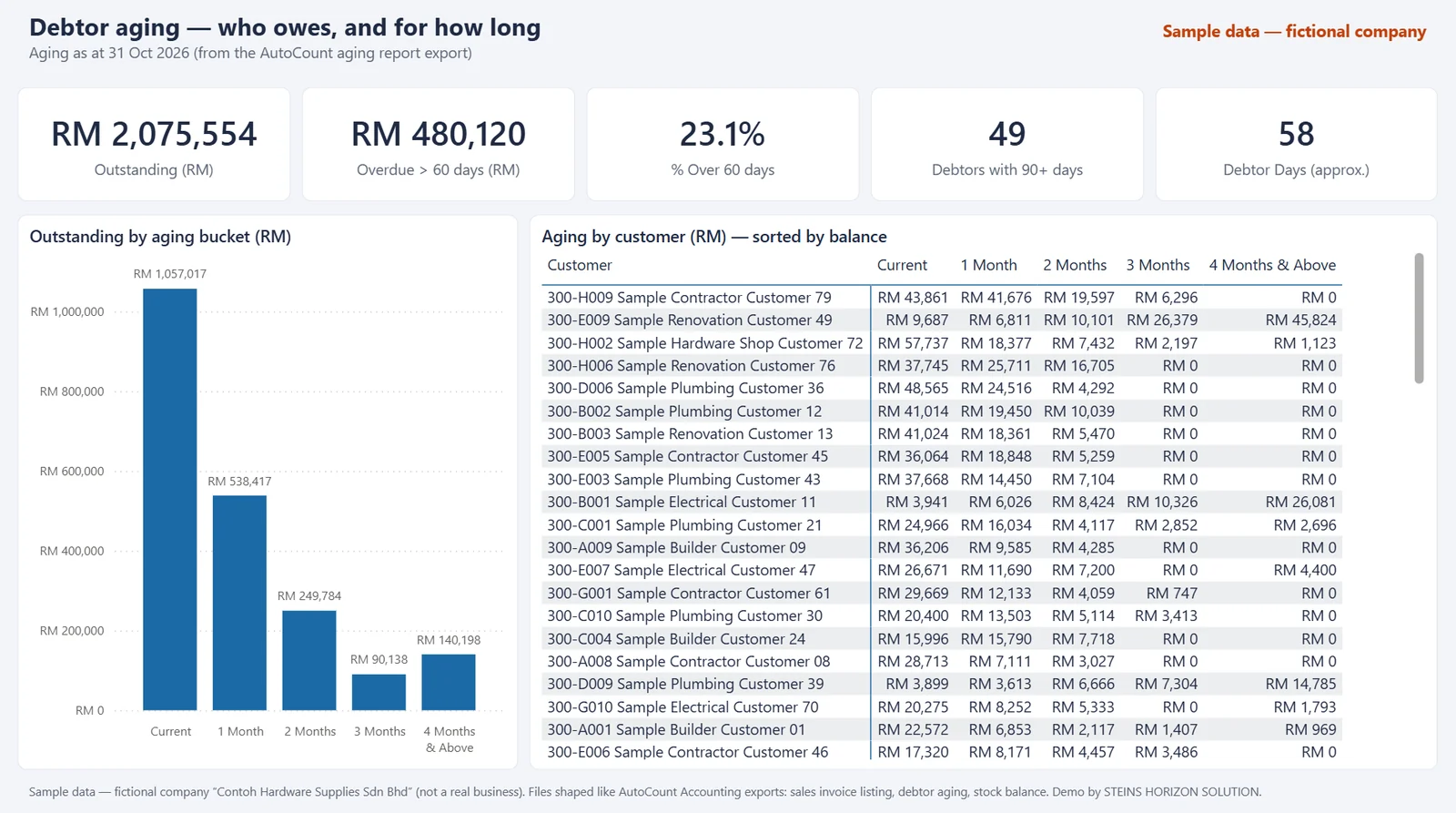
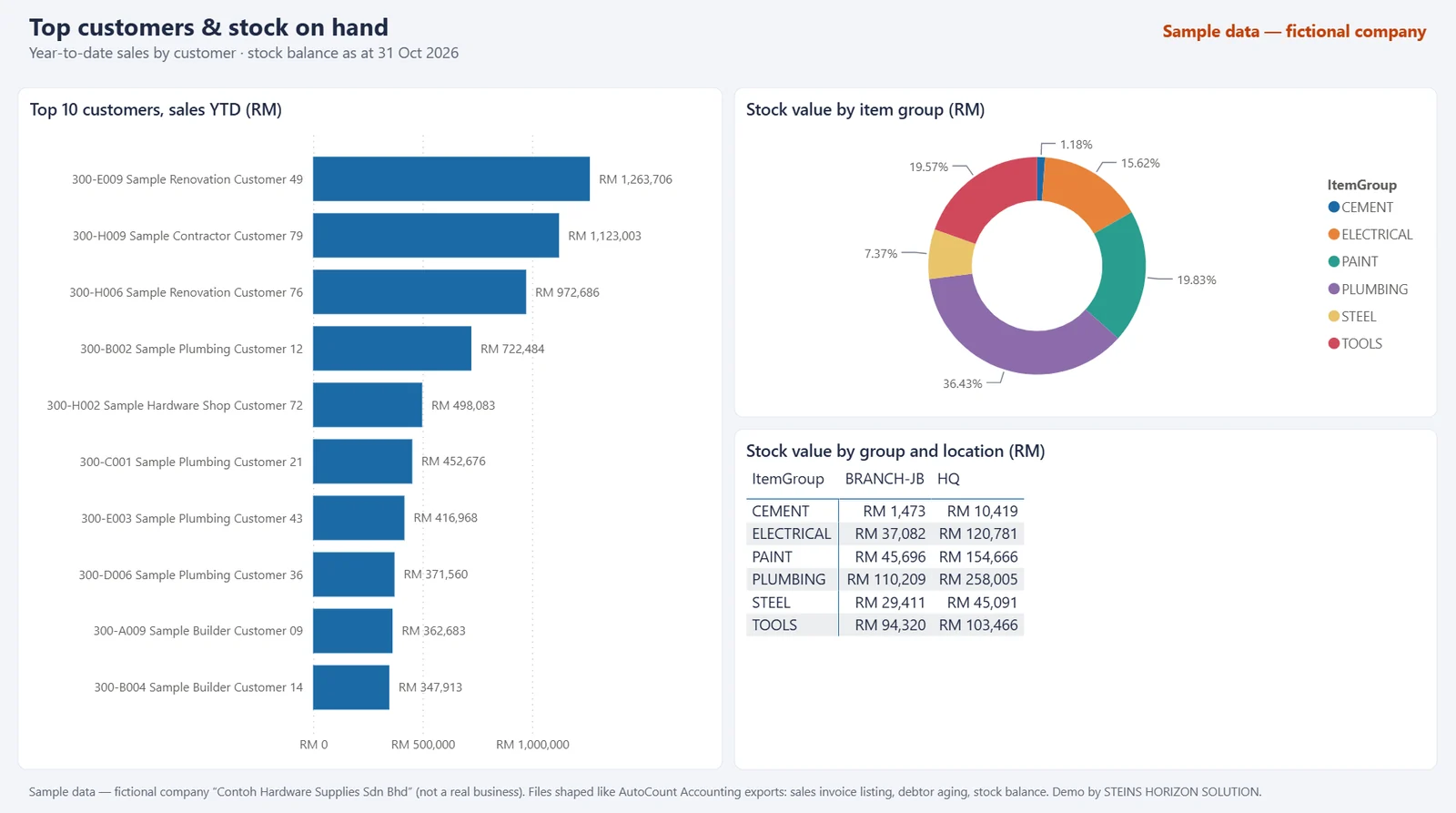
How are sales doing against last year, who owes us money and for how long, and who are our top customers?
Standard AutoCount report exports (sales invoices, debtor aging, stock balance) feed one management view: sales against last year, who owes what and for how long, top customers and stock value. The view only reads the data; it does not change your accounting records. This is the idea behind the Light Link for AutoCount. The three screens show example content, not the page count of the pack; the scope is set on your quote.
Example screens
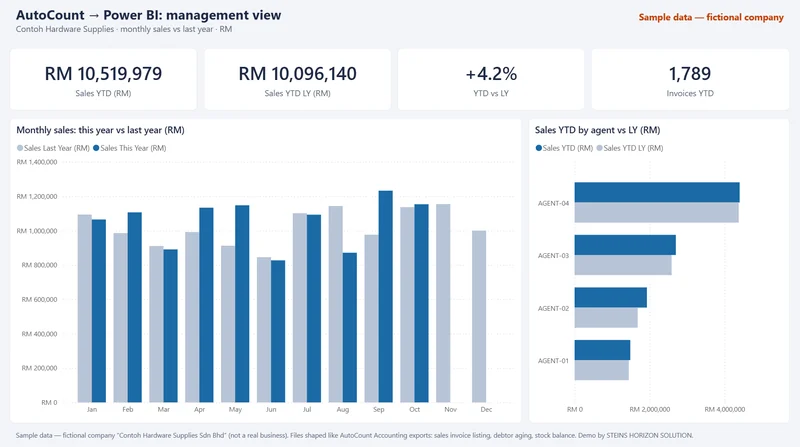
Sample data — fictional companyExample screen: sales vs last year. Select the image to open it full size. 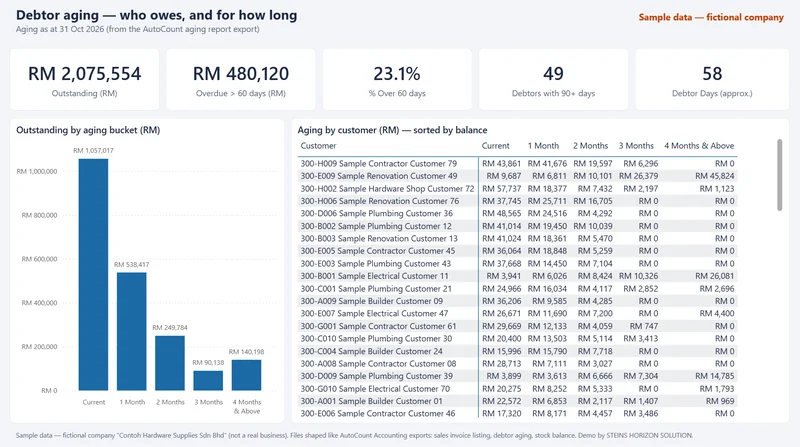
Sample data — fictional companyExample screen: debtor aging. Select the image to open it full size. 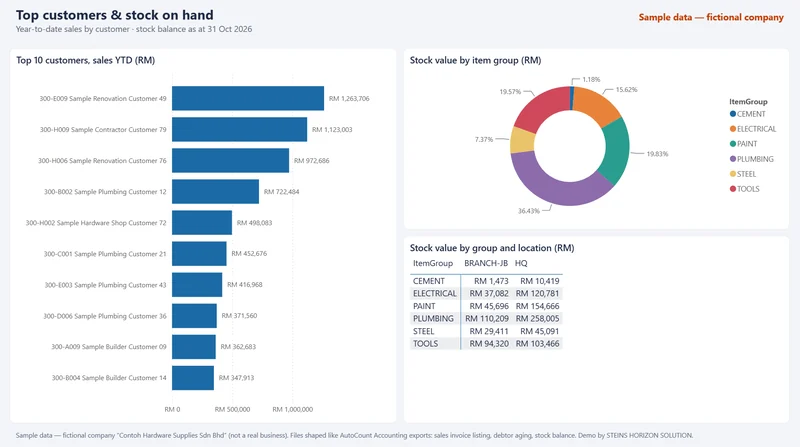
Sample data — fictional companyExample screen: top customers and stock. Select the image to open it full size.
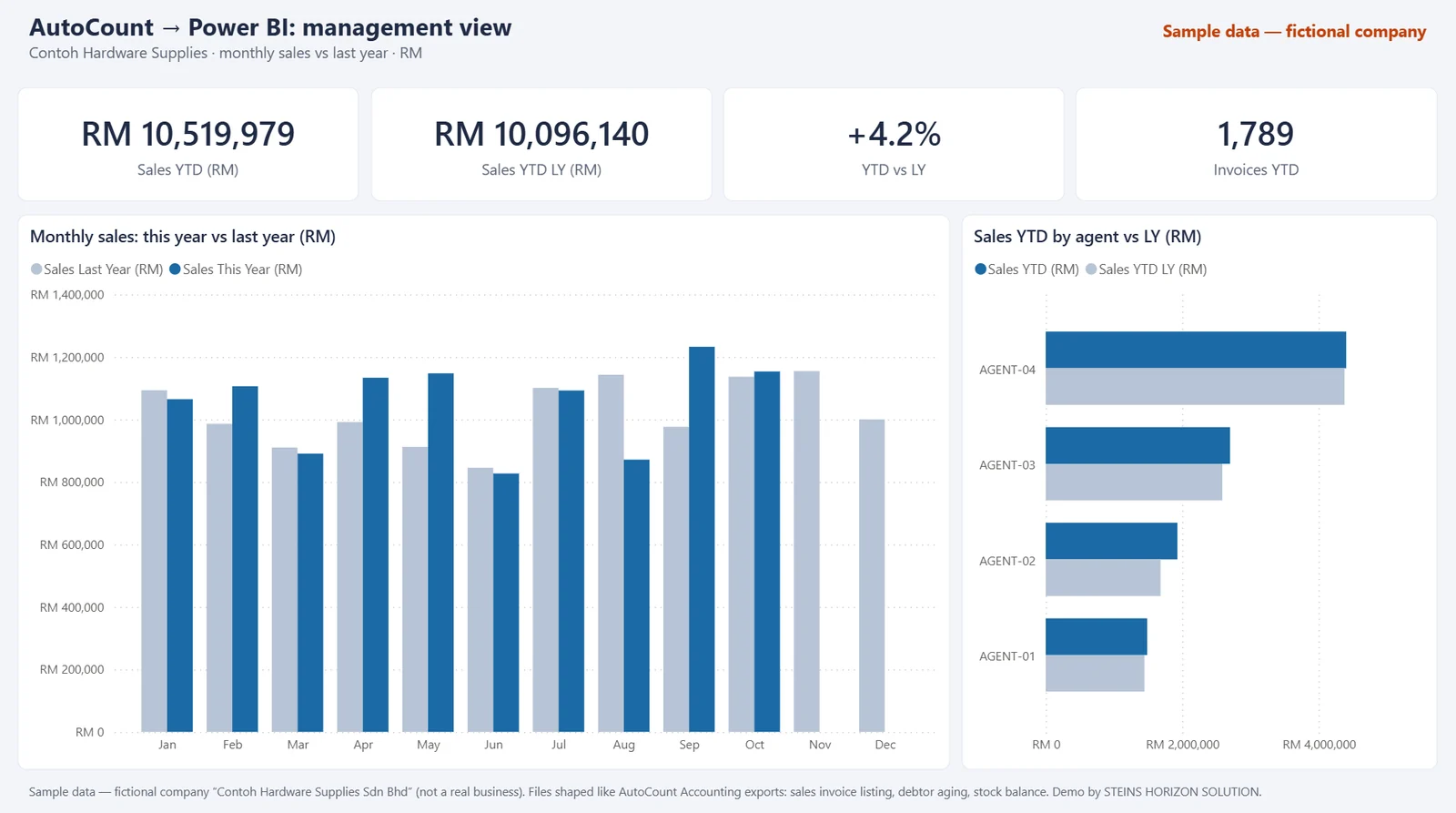
“Contoh Hardware Supplies Sdn Bhd” is a made-up company. Not a client project. The files only follow the layout of AutoCount exports; this demo is not affiliated with or endorsed by AutoCount.
Light Link for AutoCount: RM 6,200
AutoCount data into one light Power BI or Excel management view, with up to 3 report tweaks included. Read-only access where the setup allows; we don't change your accounting records. The data comes in by a scheduled export or a read-only database (ODBC) connection, depending on your AutoCount setup.
Other demos: Malaysia market view · Distributor sales and stock
Book a 20-minute scope call
Send a WhatsApp or an email with one line about the report you rebuild every month. We will reply with a time for a short call and tell you whether it fits.
How we handle your details: Privacy notice / Notis privasi.
- +60 14-719 7008
- hello@steinshorizon.com
- Business
- STEINS HORIZON SOLUTION (CT0170337-H), a sole proprietorship registered with SSM, Malaysia
- Address
- Rawang, Selangor, Malaysia